The MockGateway CLI delivers webhooks to a port on your own machine. You install it, sign in, and point it at a local URL. Your machine opens the connection outward, so nothing has to be reachable from the internet, and the webhook URL it prints stays the same across restarts.
Before you start
- Node.js 18 or newer
- A confirmed MockGateway account
- A webhook to attach the URL to — see creating a webhook if you have none yet
- Something listening on the port you forward to, or nothing at all if you only want to watch deliveries arrive and fail
Set it up
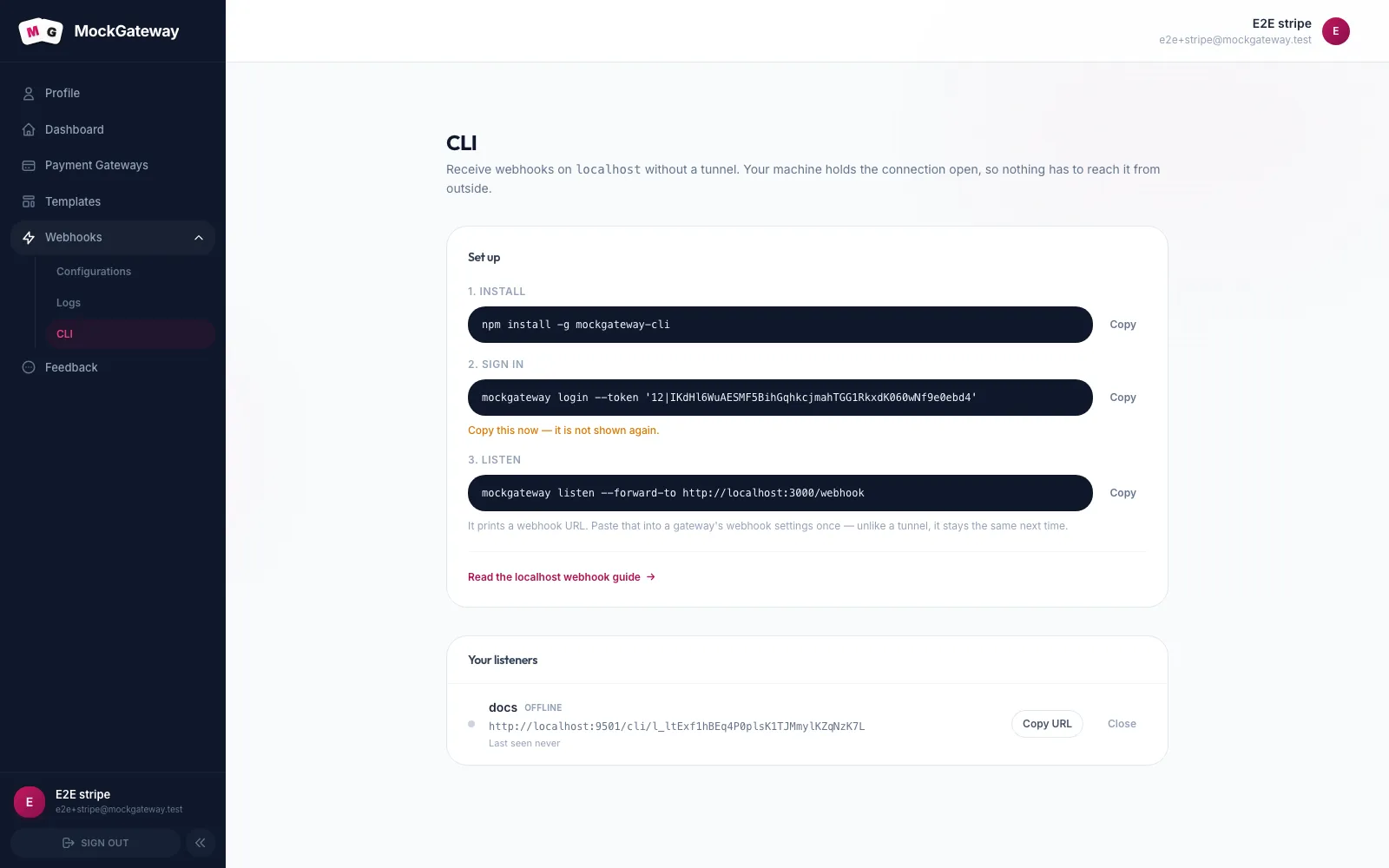
- Install it:
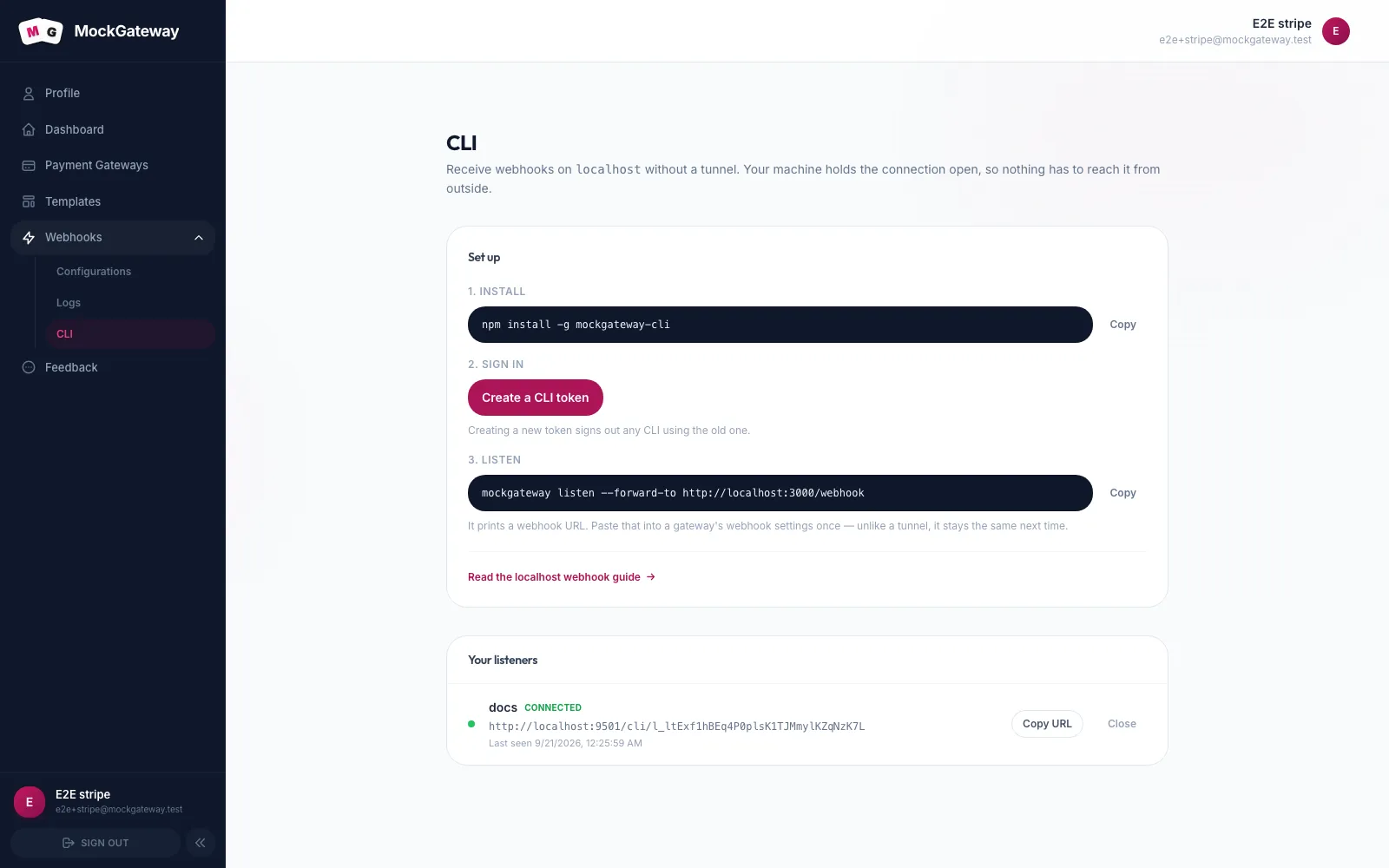
npm install -g mockgateway-cli. - Open Webhooks → CLI and click Create a CLI token. Copy it straight away — it is shown once and never again.
- Sign in:
mockgateway login --token '<token>'. Keep the quotes. The token contains a character your shell would otherwise split on, and without them the CLI receives only the part before it. - Start listening:
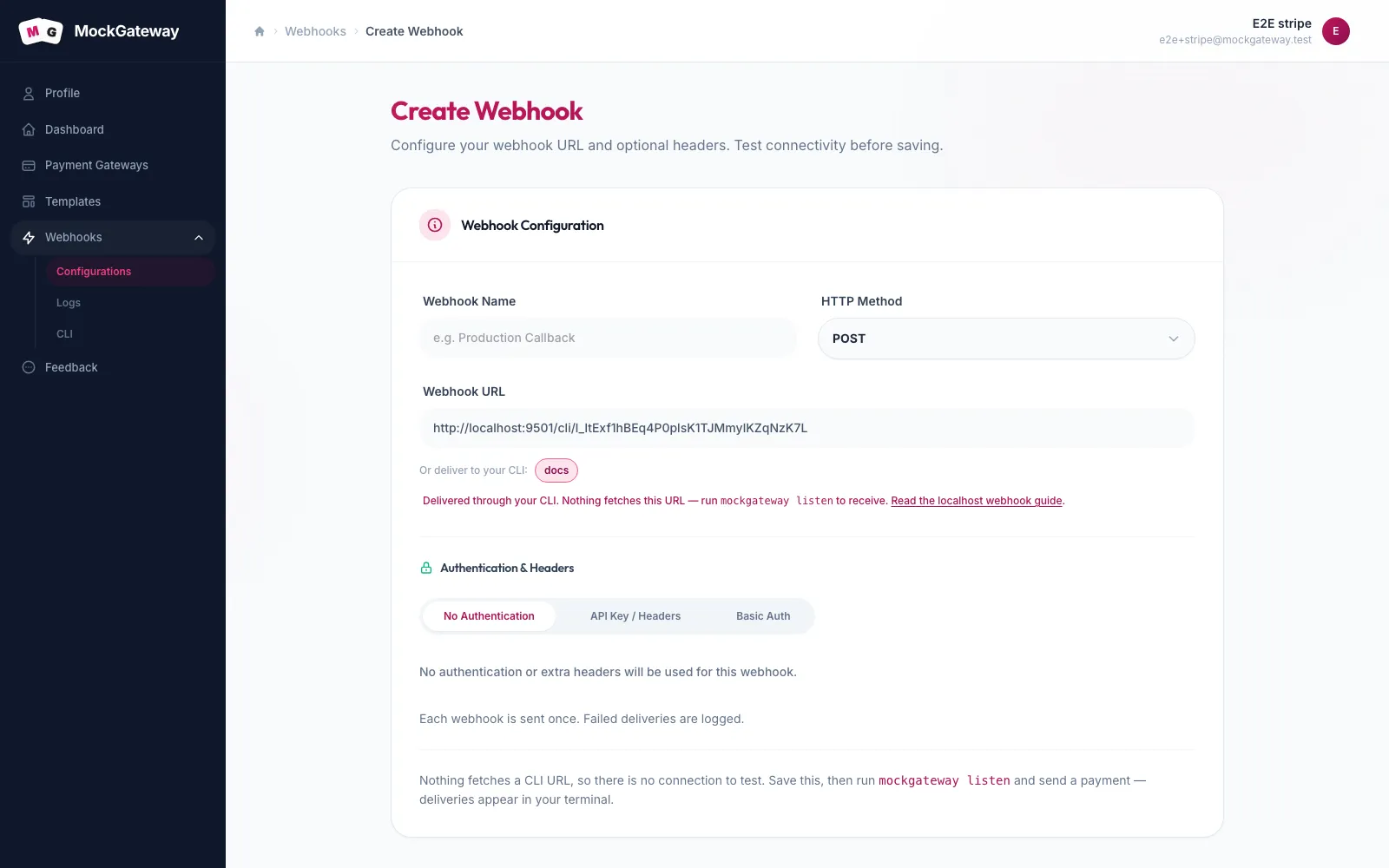
mockgateway listen --forward-to http://localhost:3000/webhook. - Put the URL it prints into a webhook. Open Webhooks → Configurations, edit the one you want, and click your listener's name under Or deliver to your CLI.
- Run a payment through a gateway that webhook is attached to.
Where the URL goes
The listener buttons only appear once a listener exists, so run mockgateway listen before you go looking for them. Pasting the printed URL by hand does exactly the same thing.
The form recognizes a CLI URL. The connectivity test disappears, replaced by a note reading Nothing fetches a CLI URL, so there is no connection to test — nothing ever requests that address, so there is no connection to make. Both HTTP and CLI webhooks are delivered once; failed deliveries are logged.
--label.Check it worked
Your terminal prints a line per delivery, with the status your app returned and how long it took:
✓ Connected to MockGateway
✓ Forwarding to http://localhost:3000/webhook

14:22:07  payment.success   → 200 OK     42ms
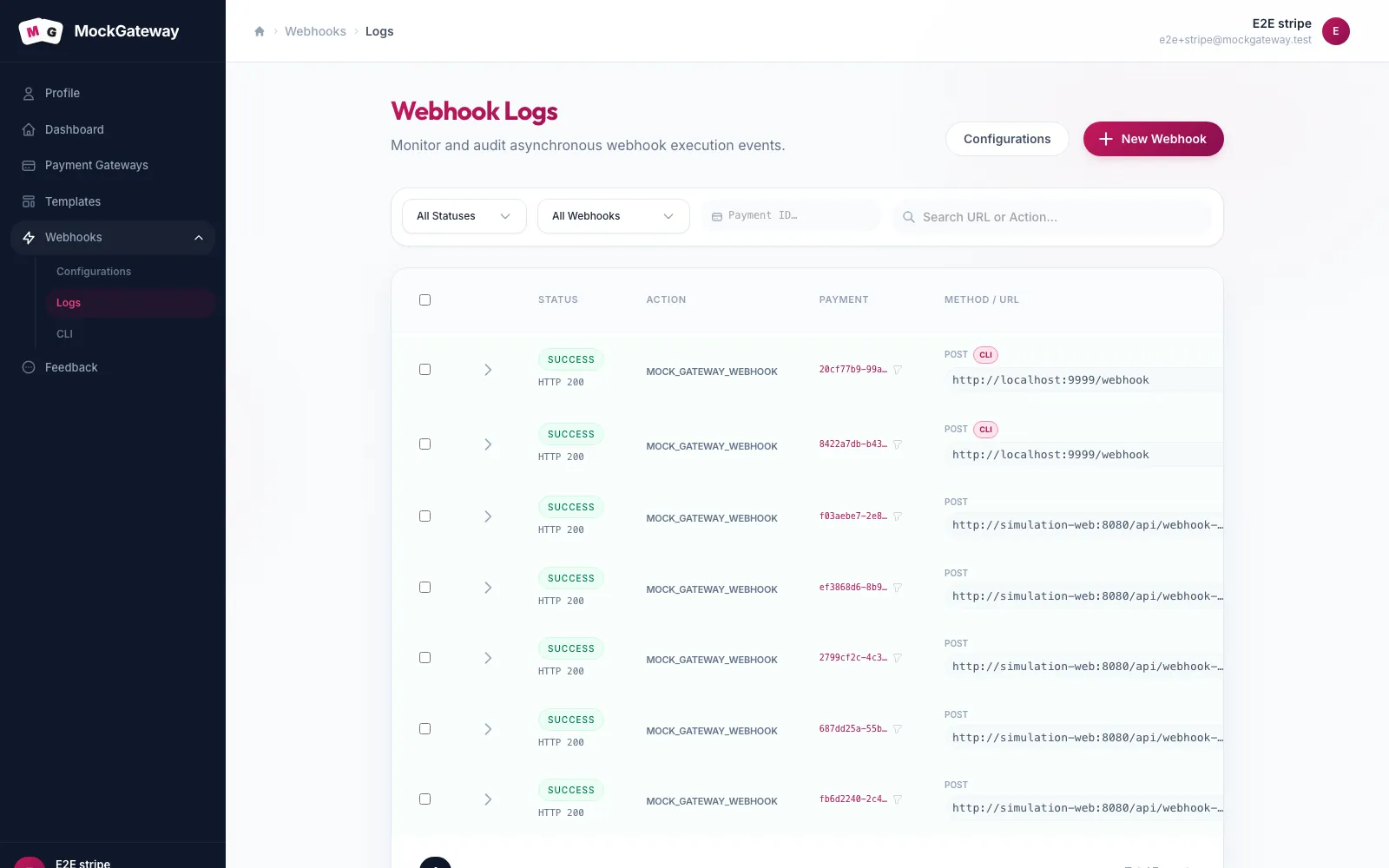
Two other places agree. Webhooks → CLI shows the listener with a green dot and Connected, and Webhooks → Logs records the delivery with a CLI badge instead of the usual URL.
Does the webhook URL change when I restart?
No. Stopping the CLI and starting it again gives you the same URL. A listener is a record on your account, not a property of whichever process happened to open it, so Ctrl+C leaves it standing.
There is one case where it does change. A listener is released after 30 days with no listen at all, and the next run then creates a fresh one with a new URL. Every run pushes that deadline out another 30 days, so it only happens to a project you have genuinely left alone for a month.
More than one project
Two projects on one machine need two listeners, or the second listen takes the stream from the first. Name each one with --label:
mockgateway listen --forward-to http://localhost:4000/webhooks --label checkout
mockgateway listen --forward-to http://localhost:5000/hooks --label subscriptions
Each name carries its own URL, so the two gateways stay wired to separate terminals. Skip the flag and you get a listener called default, which is fine right up until the day you want a second.
If it didn't work
✗ connection refused — is your app running on :3000?
Nothing is listening on the port you forwarded to. Start your local server, or check the number.
Disconnected — this listener was claimed by another session.
A second listen started on the same label and took over. Give the two runs different labels.
The dot on Webhooks → CLI is grey.
No CLI is holding the line, so deliveries fail until one is. Opening the listener URL in a browser says the same thing in plain text.
This CLI listener no longer exists.
It was closed from Webhooks → CLI, or released after 30 idle days. Run mockgateway listen again and update the webhook with the new URL.
A tunnel still works
Nothing here removes the old option. A webhook can point at any public URL, so ngrok or a Cloudflare tunnel behave exactly as they did before. The CLI replaces standing one up, and gives you an address that does not move between restarts — the reasoning behind picking one approach over the other is worth a read if you are deciding.
Other commands
| Command | What it does |
|---|---|
mockgateway trigger | Sends one webhook now, without running a payment first |
mockgateway logs | Shows what was delivered recently |
Next
Before you rely on a URL that is not a CLI one, test whether we can reach it. The rest of this section is on the webhooks overview.
Was this page helpful?