A custom gateway lets you copy an API that has no template here — a regional processor, an internal payments service, or something still being designed. You set the request fields and responses. The gateway provides fixed success, failure, and cancellation outcomes.
The builder runs as a three-step wizard, and you can move back before launching.
Before you start
- The provider's API docs, or a sample request and response to copy
- A confirmed email address on your account
Build it
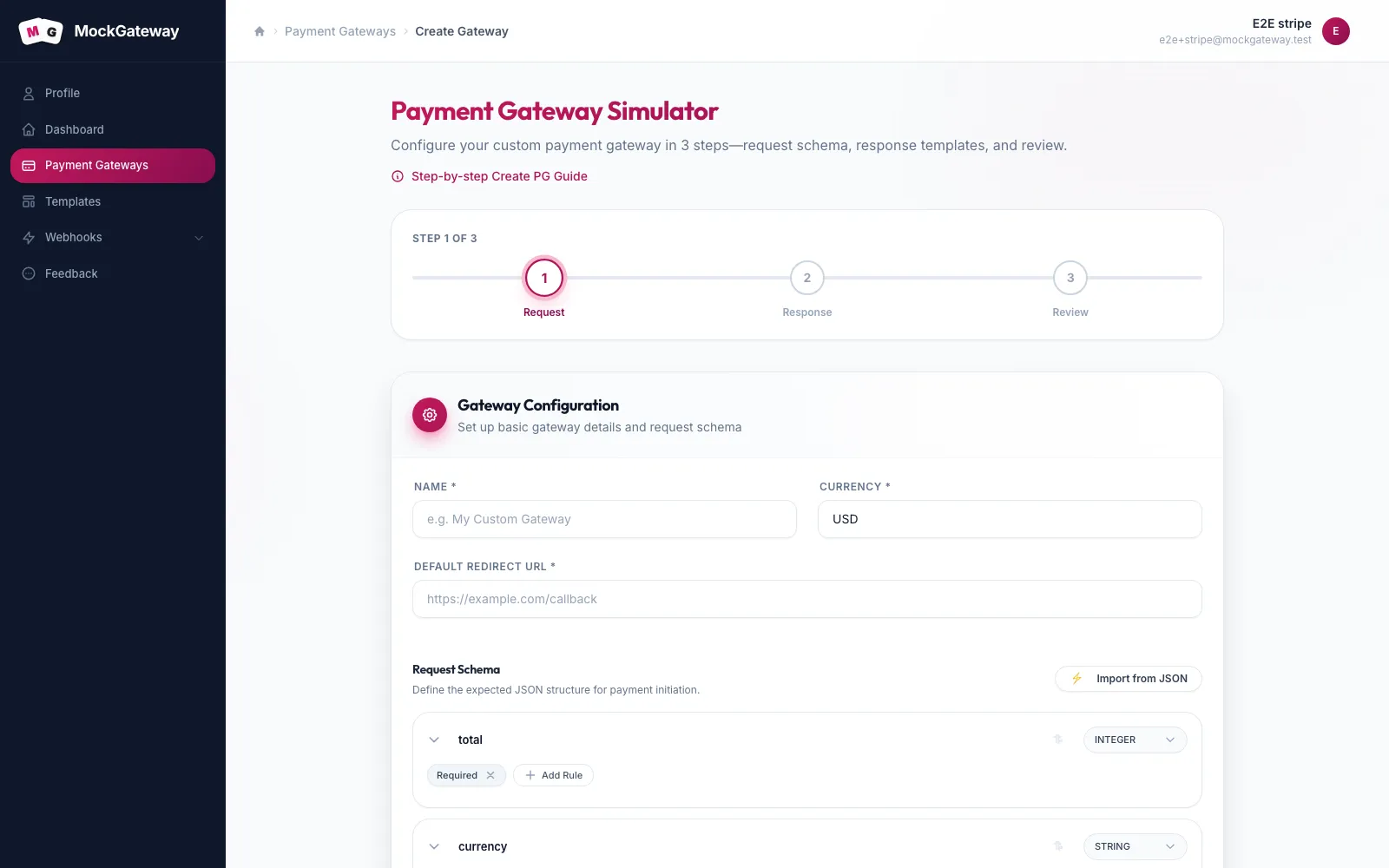
- Open Payment Gateways and click Create Gateway. This opens the Payment Gateway Simulator.
- On step 1, Request, set the name, currency, and default redirect URL. All three are required.
- Add your request fields under Request Schema, giving each a type such as INTEGER or STRING and marking the required ones. If you have a sample body, click Import from JSON and let it read the fields out.
- On step 2, Response, write the JSON that init and verify return. Use
{{ }}placeholders for values that change per payment. - On step 3, Review, check the summary and create the gateway.
Values you can put in a template
Response and webhook templates read placeholders from the payment and from the request that started it. Alongside the amount, currency, and identifier, every gateway generates these:
| Field | Holds |
|---|---|
status | Current state of the payment |
payment_id | Identifier for the payment |
invoice_no | Generated invoice number |
payment_method | Method recorded against it |
payment_request_at | When it started |
payment_completion_at | When it finished |
error_code | Code for a failed result |
error_message | Message for a failed result |
remarks | Free-text note |
Fields from the original request are available too, so a template can echo back an order reference the caller sent.
Built-in payment outcomes
A gateway with one success result proves the happy path and nothing more. The reason to build a mock is the other paths: a decline carrying the provider's real error code, a payment left processing, a customer who walks away.
The gateway supplies supported scenarios with their status codes, redirects, and webhook payloads. These scenarios cannot be created, edited, or deleted by users.
Check it worked
Post to the init endpoint using your own field names. The reply should match your template. Open the payment URL and confirm the built-in supported scenarios is listed on the page.
If it didn't work
{"error":"Validation failed","message":"The request payload does not match the required schema."}
The body does not satisfy your schema. Compare what you sent against the Schema tab.
{"error":"Validation failed","message":"The amount must be a number."}
The amount field arrived as something other than a number. A formatted string with a currency symbol is the usual cause.
The amount is ignored.
The amount mapping does not name the field you are sending.
A response shows literal {{ }} text.
The placeholder does not match any available value. Check it against the table above.
Limits worth knowing
Templates fill in values. They do not run logic. There are no conditionals and no arithmetic inside a response. Use the status placeholder to include the selected built-in result in a response.
Was this page helpful?