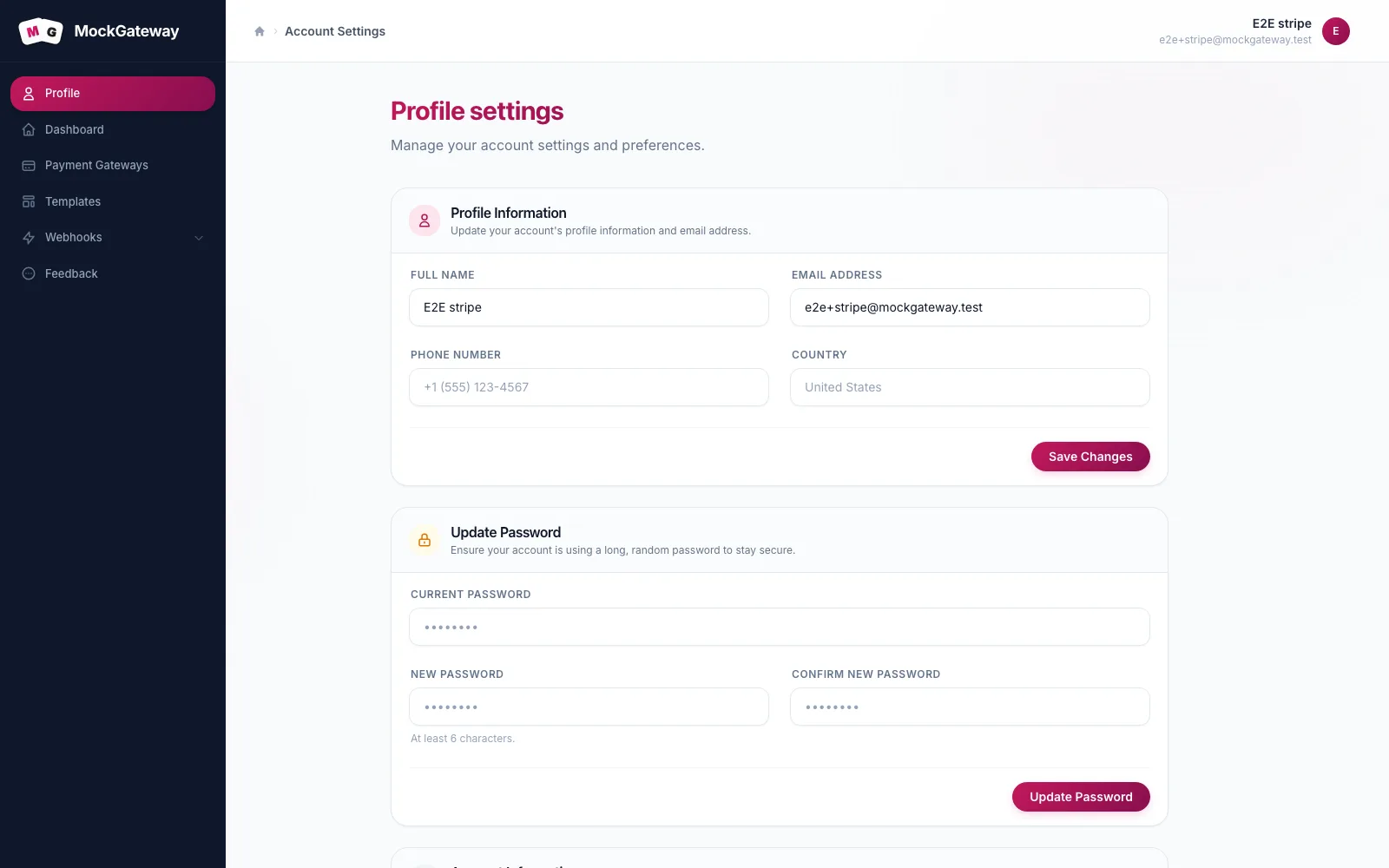
Your details and your password both live on Profile, as two forms that save separately. Editing one leaves the other alone.
Before you start
- You are signed in
- For a password change, you know the current one
Update your details
- Open Profile from the top of the sidebar.
- Edit any of the fields below.
- Save, and look for Profile updated successfully.
| Field | Required | Notes |
|---|---|---|
| Name | Yes | Up to 255 characters |
| Yes | Must not be in use by another account | |
| Phone | No | Up to 20 characters |
| Country | No | Up to 100 characters |
| Language | No | Short code, up to 10 characters |
Phone, country, and language are stored and nothing in the app reads them back. They do not switch the interface language or change how gateways behave. Fill them in if it helps you keep track; leave them empty otherwise.
Changing your address has a consequence
Saving a different address clears the confirmation, because the new one has not been proven yours. You will be asked to confirm it before the gateway, webhook, and namespace screens open again.
This is deliberate. Without it, anyone with a borrowed session could move an account to an inbox they control. Have access to the new inbox before you save, not after.
Change your password
The second form handles this. Enter the current password, then the new one twice. Six characters is the floor. The current password is checked before anything is written, so getting it wrong rejects the form and leaves your existing password untouched.
Unlike a reset from the login page, changing it here does not sign out your other devices.
Check it worked
For a details change, reload and confirm the values survived. For a password change, sign out and back in with the new one.
If it didn't work
The address is refused.
Another account uses it. Addresses are unique across the system.
The current password is refused.
It is compared against the stored one. Accounts made through Google, GitHub, or LinkedIn have no stored password, so this form has nothing to check — add one through the reset flow first.
You are asked to confirm your address after saving.
Expected whenever the address changed. See above.
What this page does not do
- No account deletion. There is no self-service way to remove an account.
- No session list. You cannot see or end sessions on other devices. Signing out ends only the one you are using; a password reset is the blunt instrument for the rest.
- No team members. An account belongs to one person, and gateways, webhooks, and namespaces belong to that account.
Was this page helpful?