By the end of this page you will have made a gateway, started a payment, completed it on a hosted page, and confirmed the result from your terminal. It takes about five minutes.
Before you start
- A MockGateway account with a confirmed email address
curl, or any HTTP client you like
Run a payment
- Open Templates in the sidebar. Find Stripe and click Use template.
- Give the gateway a name and a three-letter currency such as
USD, then save. - On the gateway page, copy the slug and the API key. The key starts with
sk_test_and sits under the Integration tab. - Start a payment. Swap in your own slug and key:
curl -X POST https://mockgateway.com/api/pg/YOUR-SLUG/init \ -H "Authorization: Bearer sk_test_XXXXXXXX" \ -H "Content-Type: application/json" \ -d '{"amount": 4999, "currency": "USD"}' - Find the payment URL in the reply and open it in a browser.
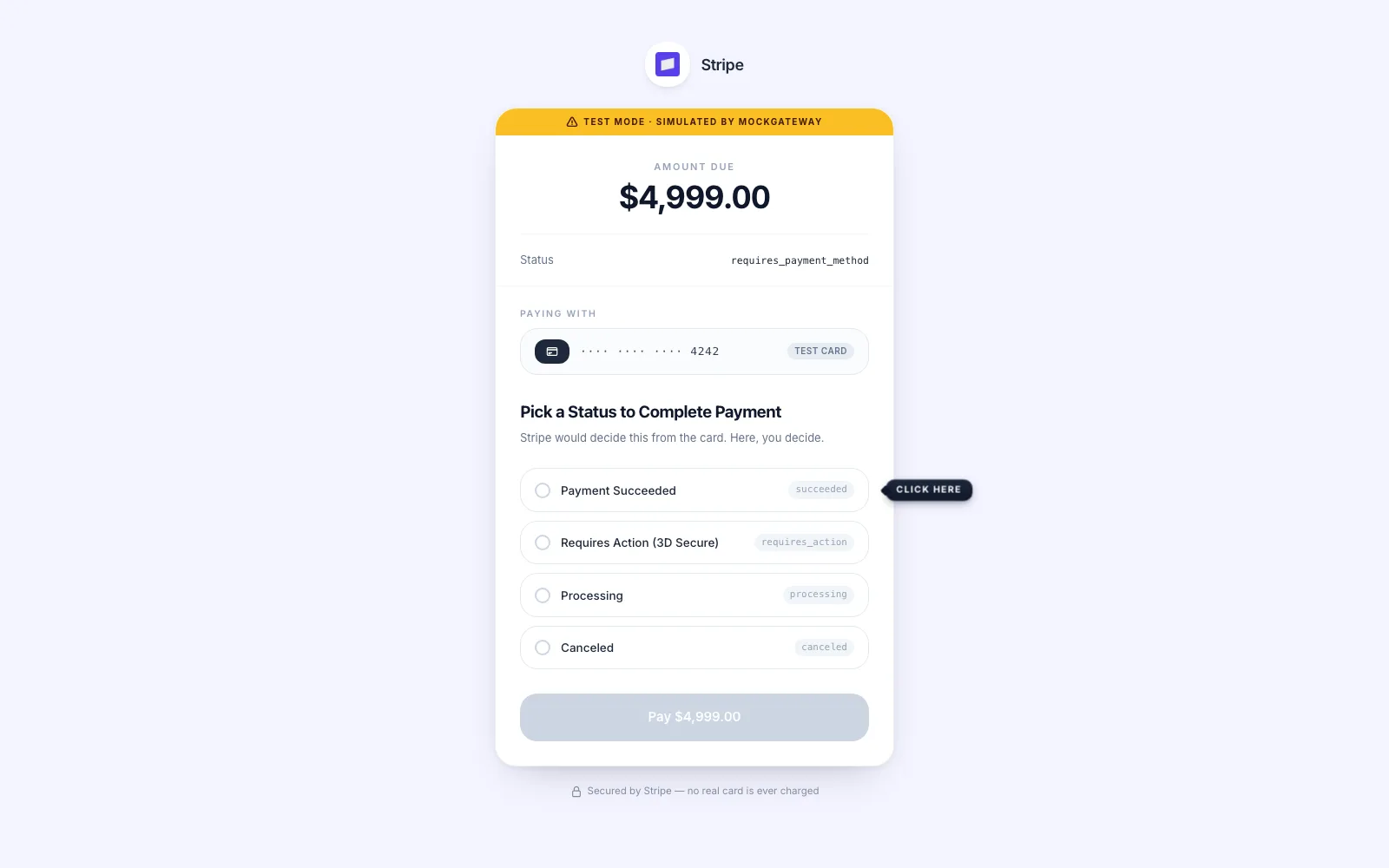
- Pick a result. The page lists the gateway's scenarios instead of card fields.
- Confirm it from your terminal:
curl https://mockgateway.com/api/pg/YOUR-SLUG/verify/PAYMENT-ID \
  -H "Authorization: Bearer sk_test_XXXXXXXX"
About the amount
The Stripe template wants amount as a whole number and rejects decimals. Send 4999, not 49.99. It is shown on the hosted page as 4,999 in your chosen currency, so treat the number as whole units rather than cents.
Other templates differ. Check the gateway's Schema tab if a value is refused.
Check it worked
The verify reply reports the result you clicked, not the pending state the payment began in. Open the gateway's Transactions tab and the payment is listed there with its amount and final status.
If it didn't work
{"error":"Unauthorized","message":"Invalid or missing Bearer token."}
The key does not match the gateway, or the header is missing. Copy it again from the Integration tab. Templates using Basic auth or an API key header word this differently.
"The amount field must be an integer."
You sent a decimal to a template that wants whole numbers. See the section above.
{"error":"Validation failed","message":"Amount and currency are required."}
The body arrived without both fields. If the template renames them, use the names in its schema.
The call returns 429.
Init allows 120 requests a minute. A loop with no pause will reach that.
Next
Send a webhook to your own server so results reach your backend, not just your terminal.
Was this page helpful?