A webhook tells your server what happened to a payment, so you do not have to ask. You make one with a URL, attach it to a gateway, and every finished payment on that gateway sends a delivery.
Before you start
- A URL that accepts requests and can be reached from the internet
- A gateway to attach it to
An endpoint that only exists on your laptop needs a tunnel, or the MockGateway CLI, before a delivery can reach it. The last section also lists built-in test endpoints if you only want to watch a delivery go out.
Create it
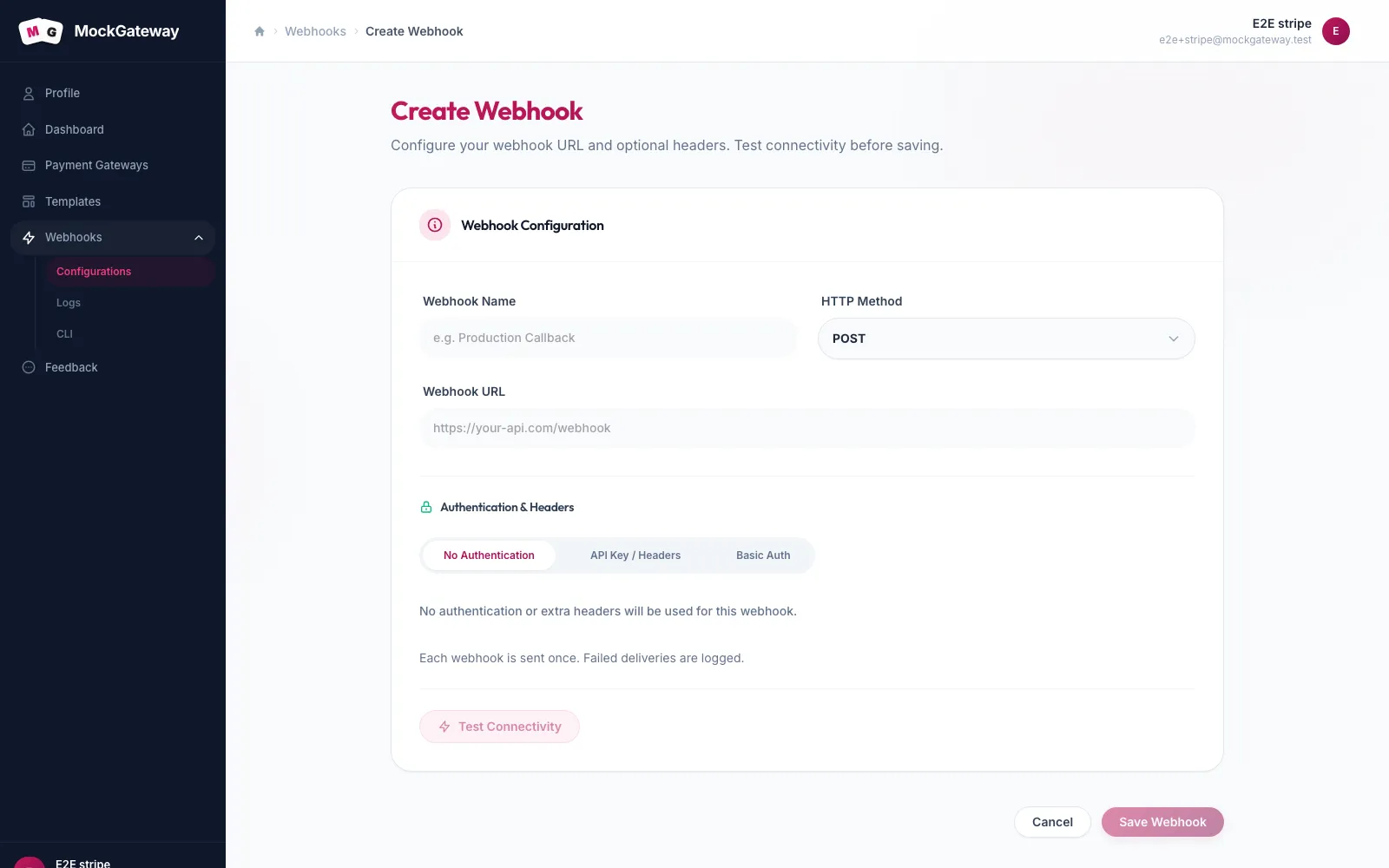
- Open Webhooks in the sidebar, then Configurations, and start a new webhook.
- Fill in Webhook Name. This is a label for you, such as Production Callback.
- Choose the HTTP Method. GET, POST, PUT, PATCH, and DELETE are available; most receivers want POST.
- Enter the Webhook URL, for example
https://your-api.com/webhook. - Under Authentication & Headers, pick No Authentication, API Key / Headers, or Basic Auth, and fill in what your endpoint expects.
- Each event is delivered once. A failed delivery is logged and is not retried.
- Save. You will see Webhook created successfully.
Attach it to a gateway
Making a webhook does not wire it to anything. Open the gateway you want notifications from, go to Settings, choose this webhook, and save.
A webhook can only be attached to gateways in your own account.
How retries work
You add a delay for each retry, in seconds. The number of attempts follows the number of delays you configure — the form shows this as Max attempts: 3 (aligned with retry series).
If more attempts are needed than you have delays for, the last delay repeats. So a series of 1, 3, and 30 seconds waits 30 seconds before every attempt after the third.
| Setting | Accepts |
|---|---|
| Retry on Failure | On or off; on by default |
| Retry delays | Whole seconds, each at least 1 |
| Attempts | One per retry delay, up to five |
Short first, longer later is the usual shape. It retries quickly through a blip and backs off for a real outage.
Check it worked
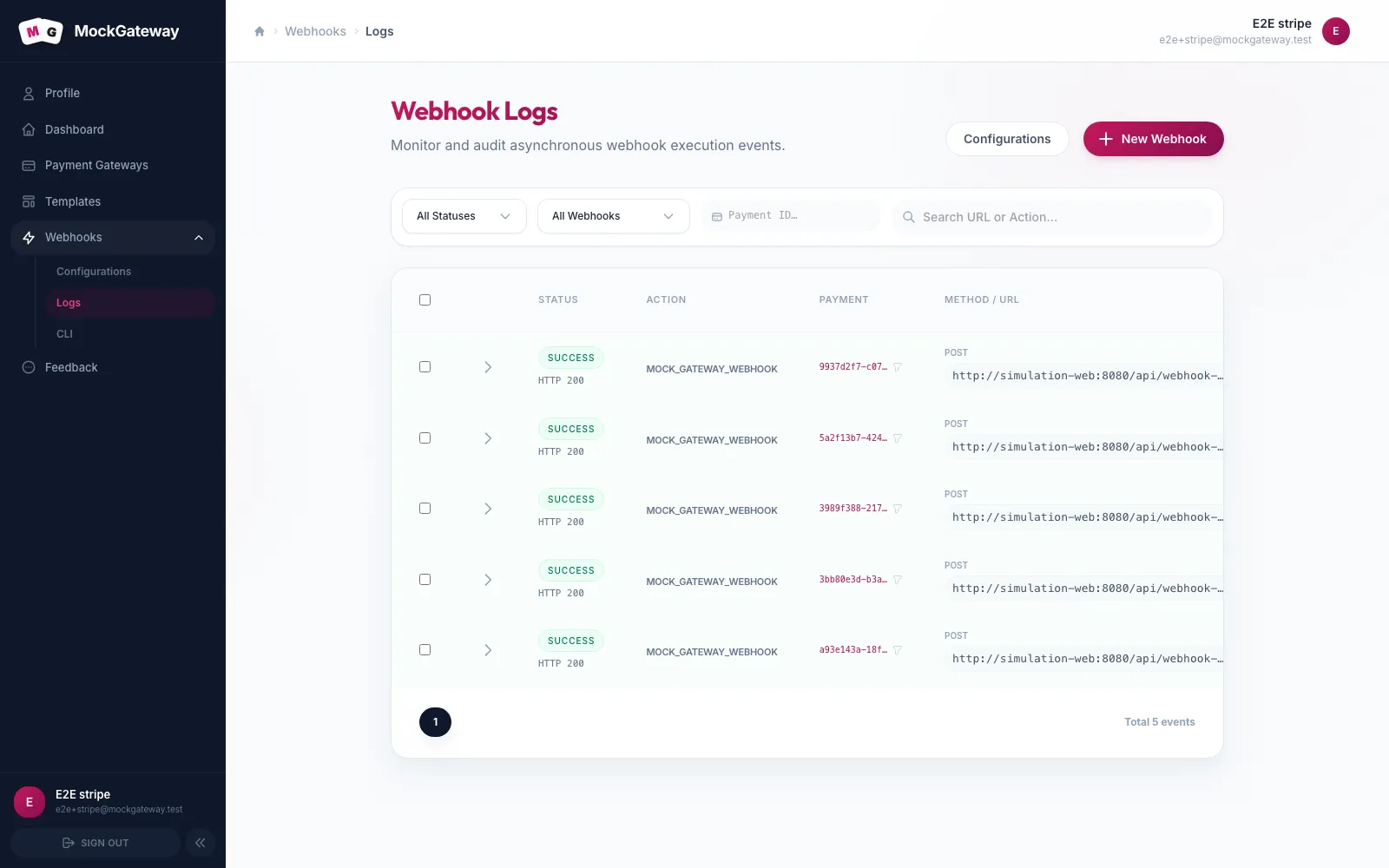
Run a payment through the gateway and pick any result. Open Webhooks → Logs and confirm a delivery is recorded with the response your endpoint returned.
To check the URL before running a payment, test its connectivity first.
If it didn't work
The URL is refused when saving.
It has to be a full URL. A bare host or a path alone will not pass.
Nothing arrives after a payment.
The webhook is probably not attached to the gateway. Creating and attaching are separate steps.
Deliveries are logged but your server never sees them.
Check the status in the log. A 401 or 403 means the auth settings here do not match what your endpoint wants.
Testing without a public endpoint
MockGateway hosts a few endpoints that accept deliveries and answer predictably. They are enough to prove the delivery side works before your own receiver exists:
| URL | Expects |
|---|---|
/api/webhook-test/no-auth | Nothing |
/api/webhook-test/basic-auth | Basic auth, test / test |
/api/webhook-test/api-key | Header X-API-Key: test-api-key |
Two more exist for providers that only count a notification as delivered once the receiver echoes an acknowledgement. /api/webhook-test/adyen replies with [accepted], and /api/webhook-test/2checkout returns an EPAYMENT block.
These prove a delivery left and came back with a 200. They cannot tell you whether your own handler reads the body correctly.
Was this page helpful?